Release 1.2.1 - New Editor & Learning Zone
Beadloo's editor has had its biggest update yet. The short version: your tools stay put now, there are some genuinely useful new ones, and there's a new place to go when you want to learn something.
Everything stays where you put it
The old editor had panels that floated around after your cursor. Clever idea. Slightly maddening in practice — you never quite knew where a button would be when you reached for it.
Now your tools sit in a bar down the left, and your zoom, navigation and rotation controls sit down the right. They don't move. There's a strip along the bottom that quietly tells you what you need to know: whether your work is saved, how big your pattern is, how many beads and colours you've used, and roughly what the finished piece will weigh.
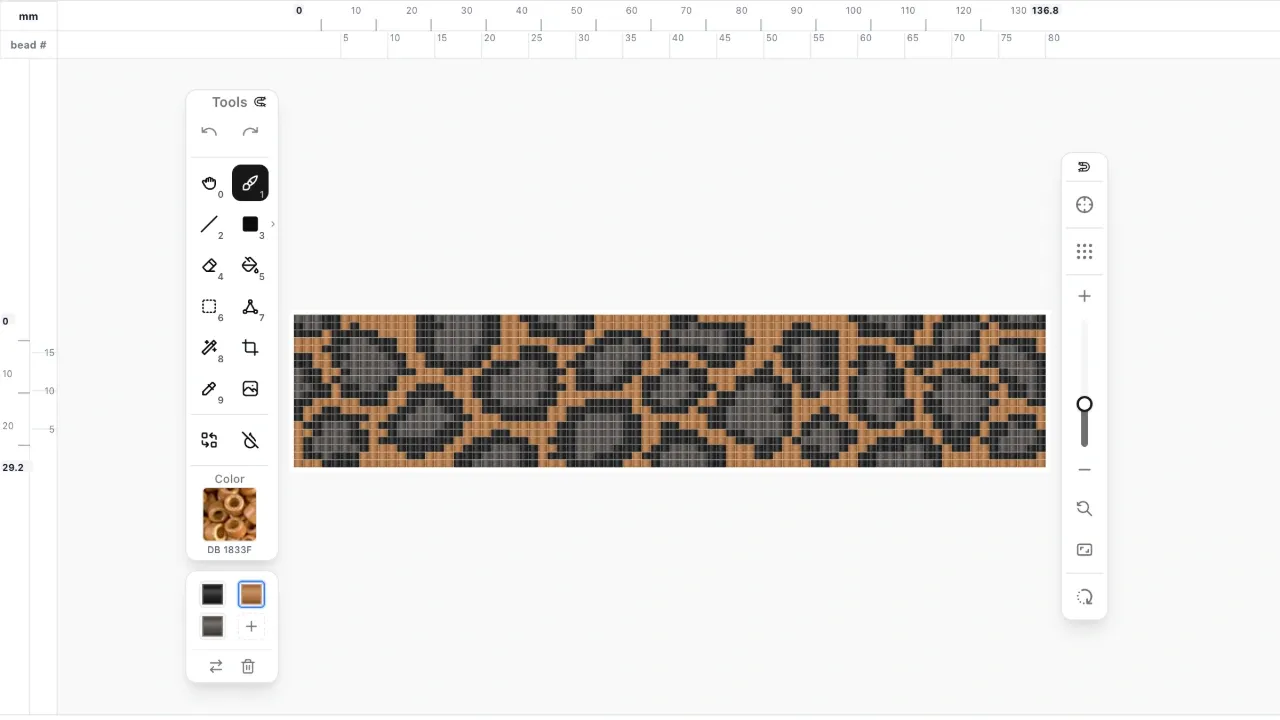
There's also a fullscreen button. If you work on a laptop, try it — it's lovely.

Four new things to play with
Crop. Draw a box around the part of your pattern you want to keep, and everything outside it goes away. Good for when a design turns out better than the canvas you started with.
Magic Wand. Click any bead and it selects the whole patch of that colour around it. Grab a background, a letter, a flower — then move it, recolour it, or delete it in one go.
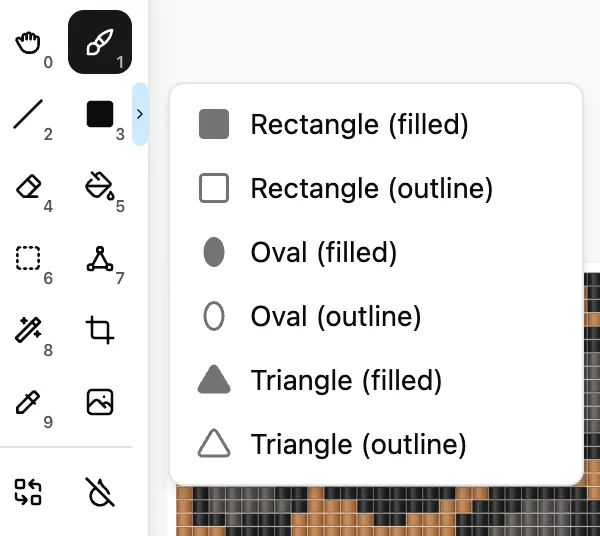
Shapes. As well as rectangles you can now draw ovals and triangles, either filled in or as outlines only.
Replace and remove colours. Swap one colour for another across the whole pattern, or wipe a colour out entirely. Both used to mean a lot of very patient clicking.
A palette just for your pattern
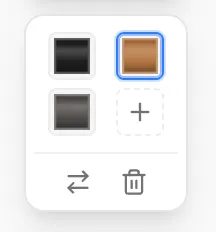
Instead of just showing you which colours you'd used, Beadloo now lets you build a little palette for each project — the beads you actually own, or the ones you're still deciding between. It's saved with the pattern, along with your chosen colour and tool, so picking a project back up a week later feels like you never left.
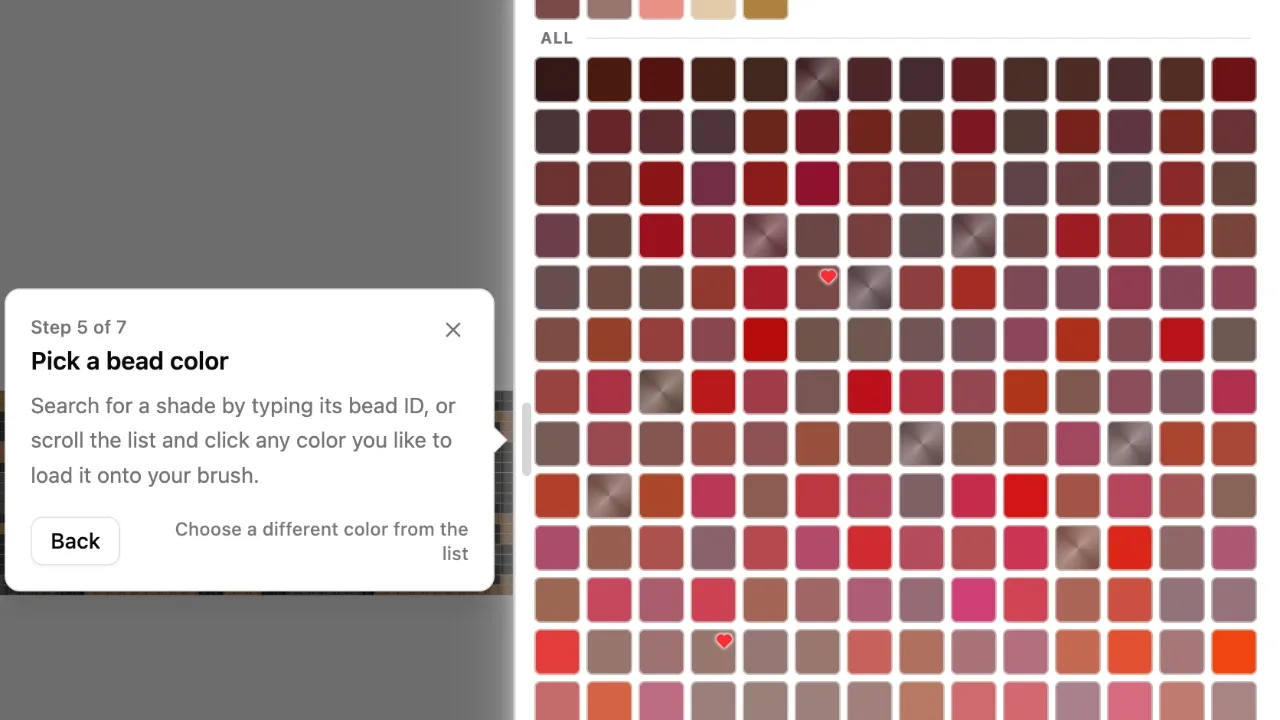
Finding beads is easier too. Type part of a name or code to search, and narrow things down by glass type and finish.
For peyote and brick
If you bead peyote or brick, you can now tell Beadloo which corner you start from. Every other row sits offset in these stitches, and which rows are offset depends on where you begin — so getting this right means your chart matches what's in your hands. It carries through to your printed PDF and word chart too.
Loom and square stitch work exactly as before.
Somewhere to learn
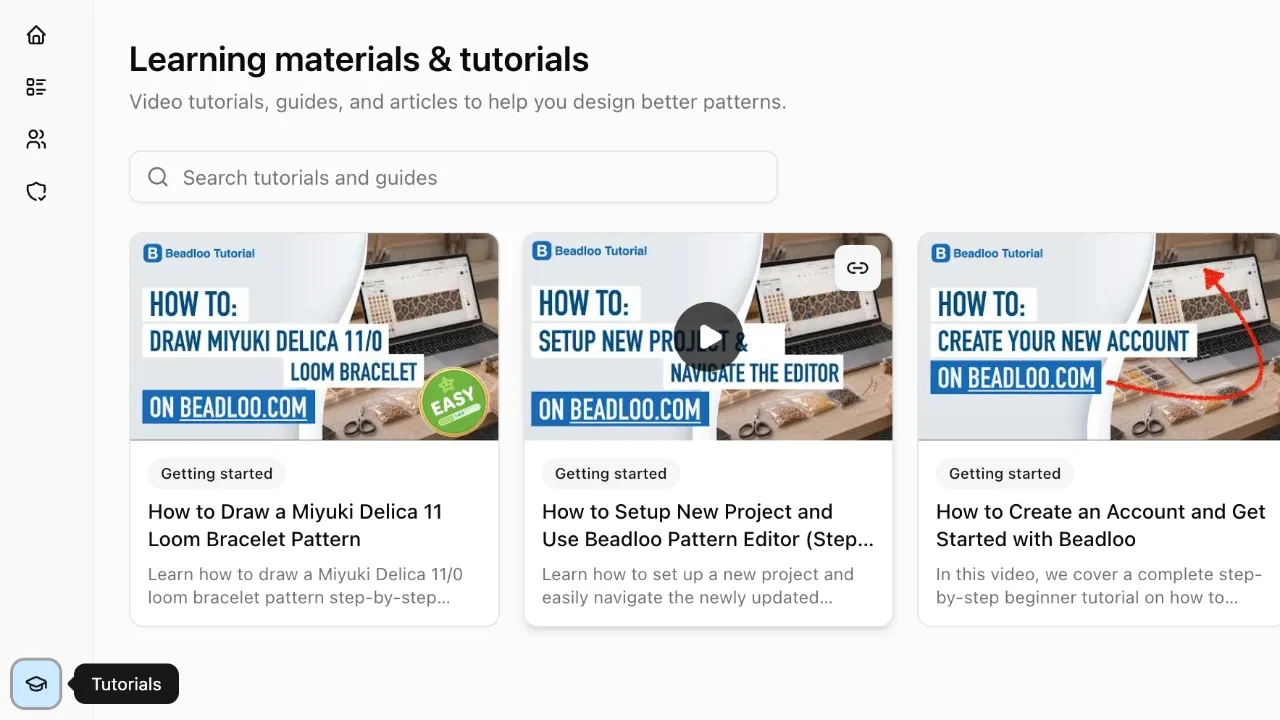
Beadloo now has a Learn section full of tutorials and guides, and a blog — which you're reading. There's a Learn button inside the editor, so you can pull up a tutorial without losing your place in a pattern.
If you'd like an email when something new goes up, there's a signup box on both.
New layout throwing you off?
If you've used Beadloo before, you'll get a short note next time you open a pattern explaining what moved, and an offer of a quick tour. It takes a couple of minutes and it's worth it.
Let us know
The editor is where you spend your time, so if something feels worse than it used to, or a tool doesn't do what you expected, tell us in the comments. That's what the next update gets built from.
Happy beading!
Comments (1)
Sign in to join the conversation.
Welcome too Beadloo blog! Looking forward to read your comments and requests!